Table of Contents
Artificial Intelligence in EMR Progress notes #
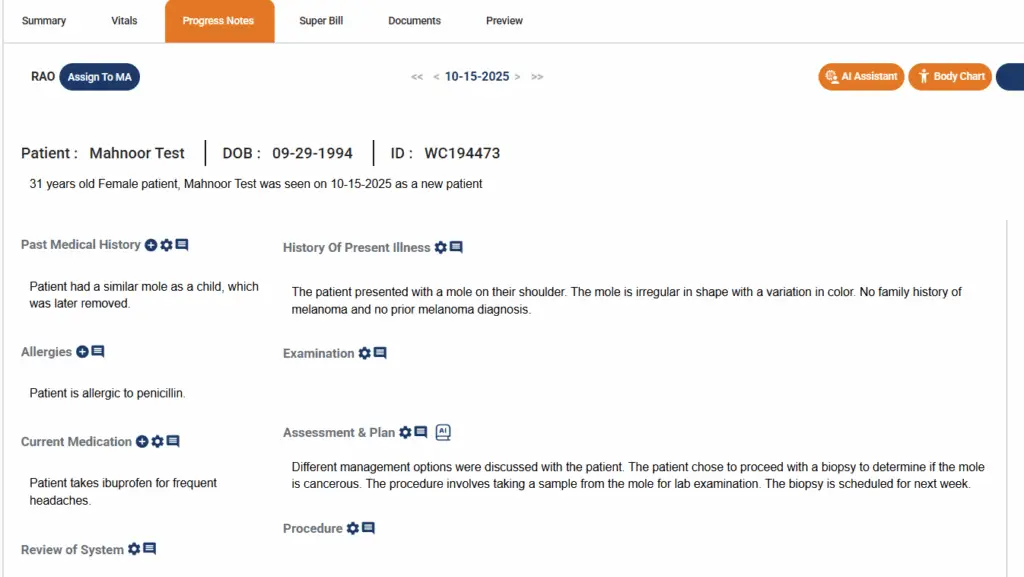
Legend EHR incorporates AI in the EMR progress notes.
- Clinicians can document using either dictation or natural conversation
- AI automatically segments and organizes your input into structured notes
- Context-aware technology fills in fields like PMH, HPI, and A&P
AI Assistant #
To enter data using AI Assistant module,
- Go to progress note chart
- Click on the AI Assistant button
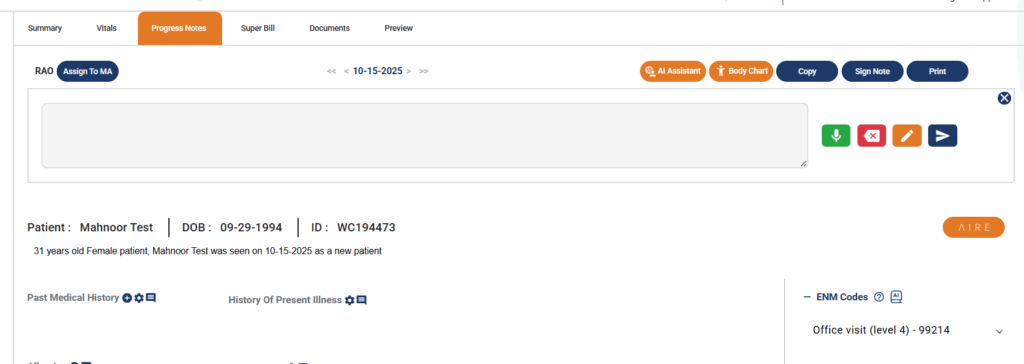
- The interface in the image below will open
Record button #
- Click on the Record button as shown in the image below and start dictating or conversing with the patient
- When you start speaking, AI will listen and populate your auditory input in the window above

Stop button #
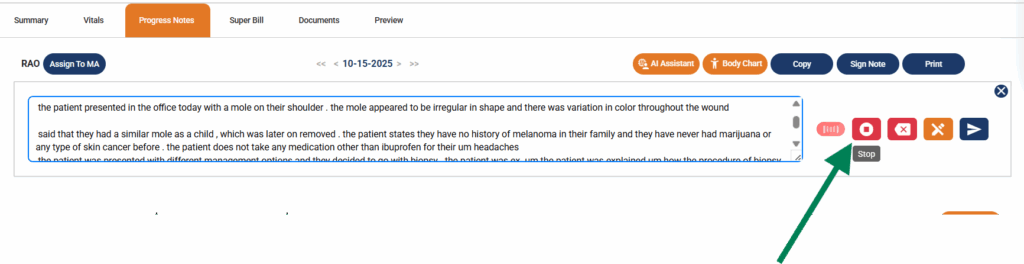
- If you want to pause, you can click on the Stop button as shown below
Edit text #
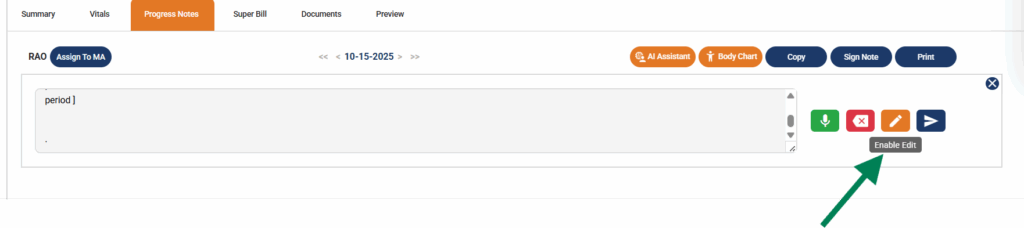
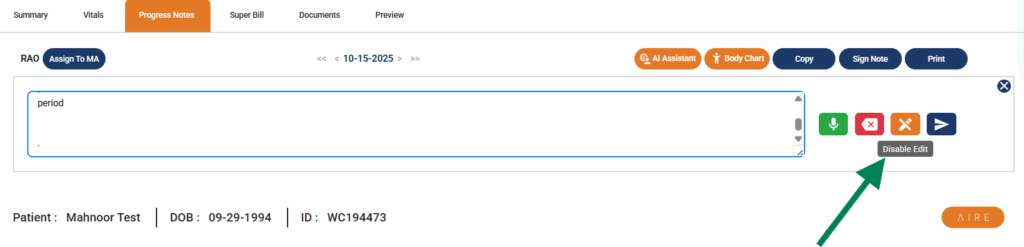
- If you want to edit the text that AI populated, click on the Edit text button
- When you are done editing, click on the same button to disable editing
Clear #
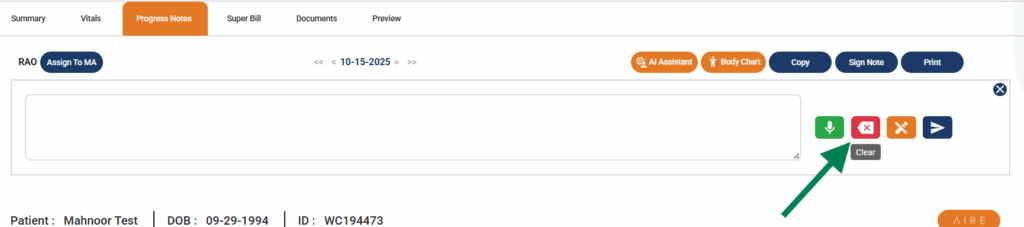
- If you’re not satisfied with the output that AI has generated based on your speech, you can erase it by clicking on the Clear button
- Clear button will erase all the text generated by AI in the window
Process and Send #
- Once you are finished conversing with the patient or dictating to AI, click the Process and Send button
- Legend will send your speech data to the AI models
- Wait for a few second

In a few seconds, you’ll be redirected to the progress note chart where you’ll be able to see the data AI has populated based on your speech input