
Table of Contents
Add an Appointment Type #
- Go to Settings
- Click on Appointment Type
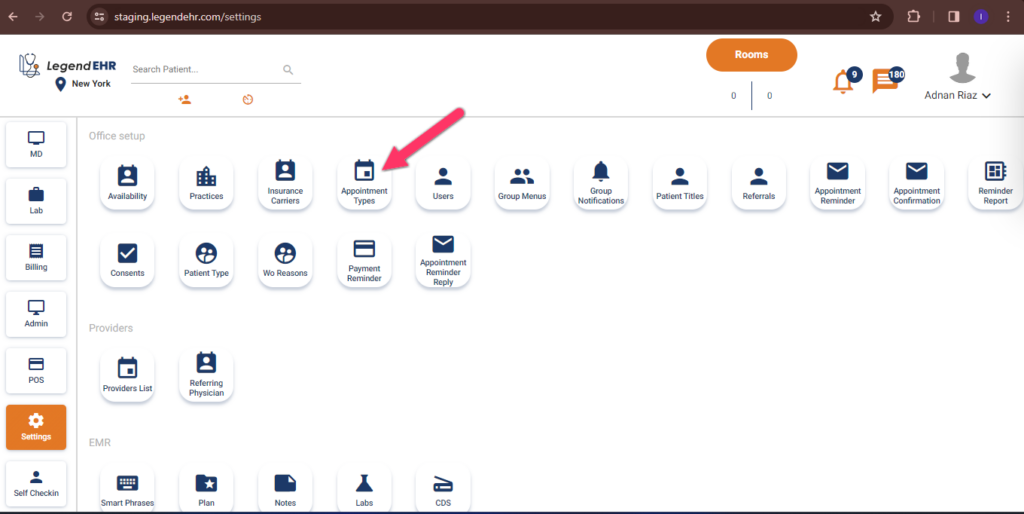
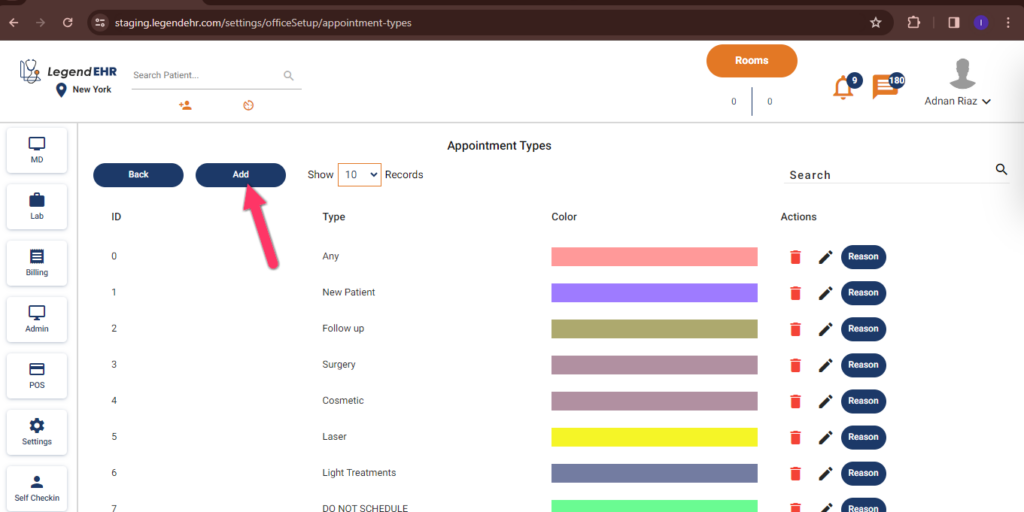
- Appointment types will be opened.
- Click on the Add button to add a new appointment type.
- Create AppTypes pop-up will be opened.
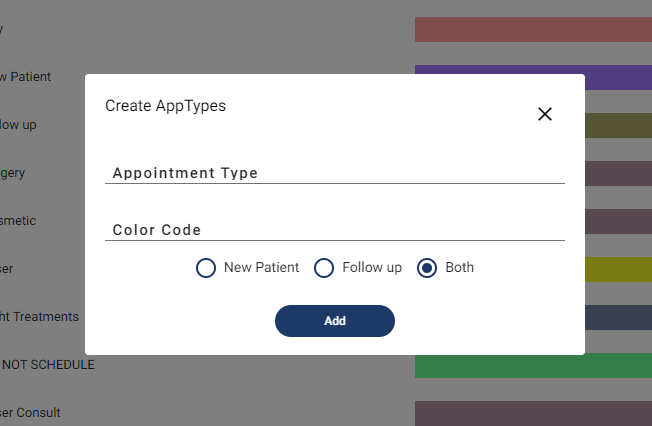
- Write an Appointment Type.
- Enter your Color Code for legend representation.
- Select the radio button.
- Click on Add to add Appointment type.


