Table of Contents
Steps to Generate Multiple SuperBills: #
- Log in to the application and select the desired patient.
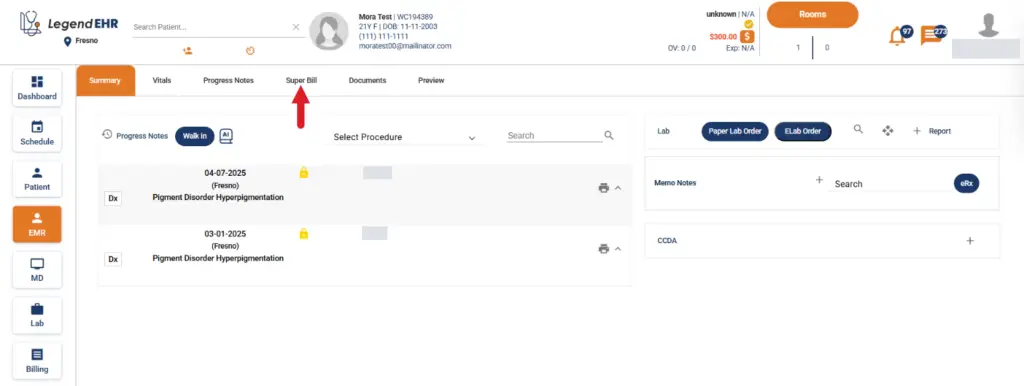
- Navigate to EMR → Summary.
- Select a Progress Note and click on the Super Bill tab.
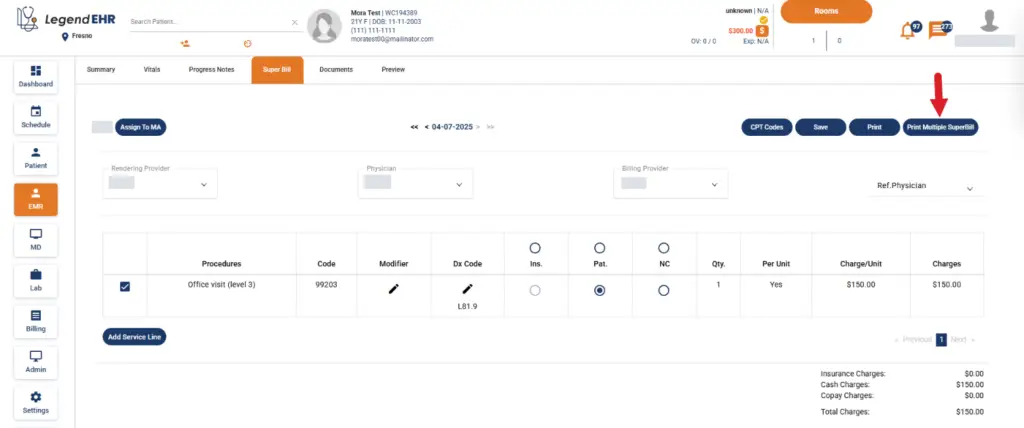
- Click the Print Multiple SuperBill button.
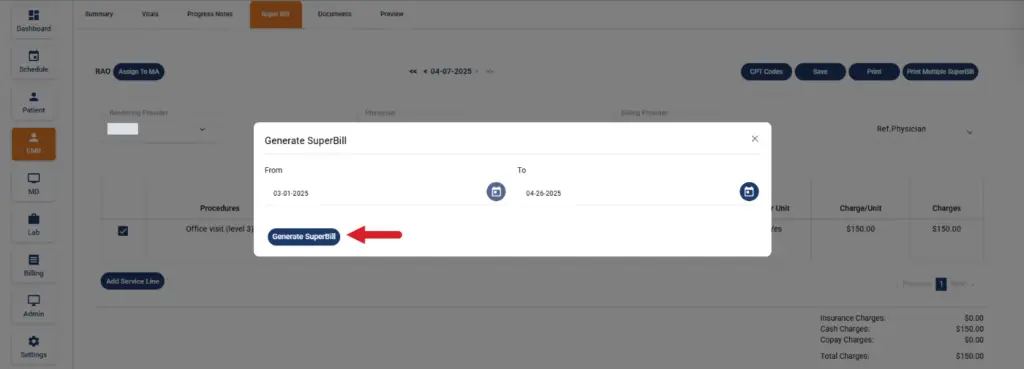
- A pop-up window titled Generate SuperBill will appear.
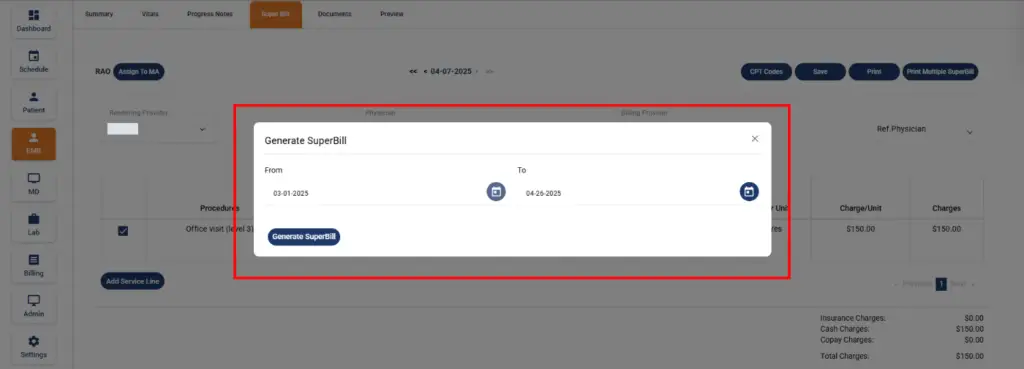
- Select the desired date range and click the Generate SuperBill button.
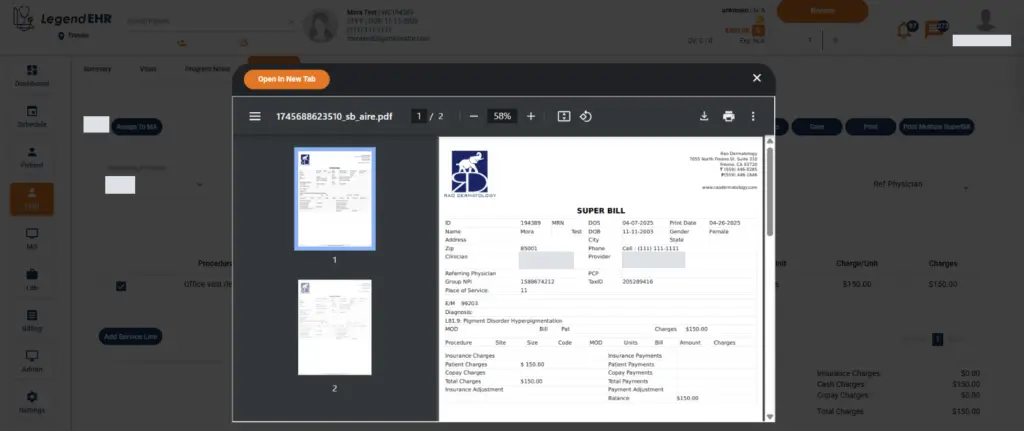
- Multiple SuperBills will be generated successfully.