
Taking payments through Square terminals #
Overview #
Legend now connects to Square, so card payments can be taken on a Square terminal straight from the patient’s billing screen. The money goes directly into the practice’s Square account.
This release includes:
- Pay via Terminal: charge a patient’s card on the Square terminal from a service line or from the patient balance.
- OTC product payments: take payments for over-the-counter products without posting them to patient billing.
- Refunds: refund Square payments from inside Legend.
- OTC Payment Report: see all OTC payments in one report.
Taking a payment with Pay via Terminal #
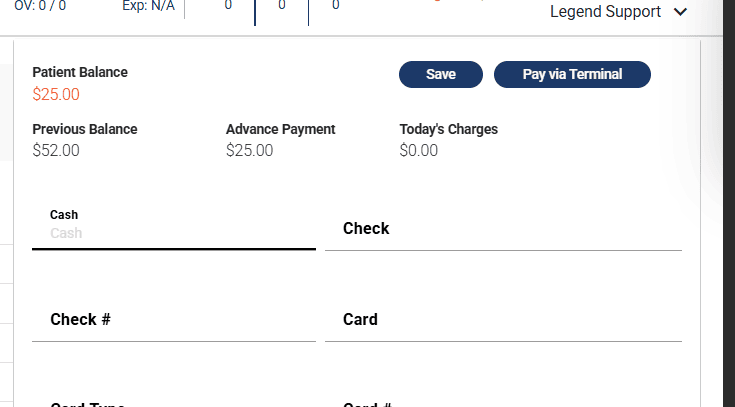
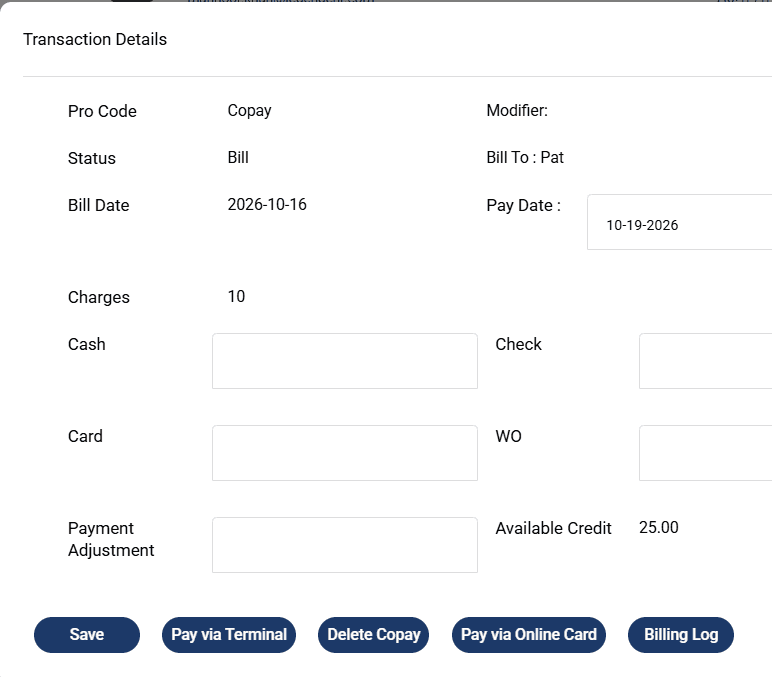
You can start a terminal payment from two places:
- From a service line: click the service line, then click Pay via Terminal.
- From the patient balance: click the balance at the top of the patient’s screen, then click Pay via Terminal.
To take the payment:
- Click Pay via Terminal from either place above.
- In the window that opens, enter the amount to charge.
- Ask the patient to insert their card in the Square terminal.
- The payment is charged and deposited into the practice’s Square account.
Refunds #
Payments taken through Square can now be refunded from inside Legend, so you no longer need to log in to Square to issue them. The refund goes back to the patient’s card through Square.
Refunds work for both regular payments and OTC payments. A refund on an OTC payment does not touch the patient’s billing, just like the original payment.
OTC product payments #
Payments for over-the-counter (OTC) products can now go through Square without being posted to the patient’s billing. Practices asked for this because OTC sales are not part of the patient’s medical bill.
When you take an OTC payment:
- The card is charged on the Square terminal, the same as any other payment.
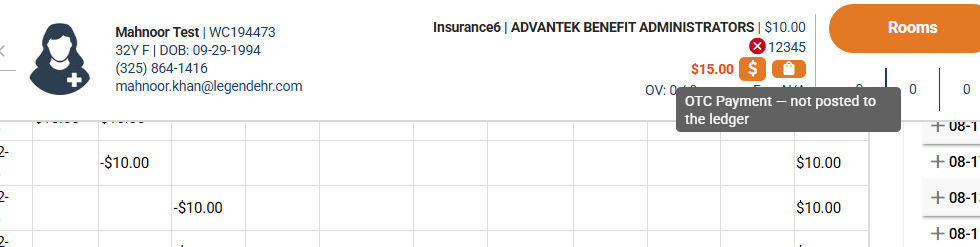
- Nothing is posted to the patient’s billing or ledger, and the patient balance does not change.
- Legend adds a memo note to the patient’s record, so there is still a record of the payment.
To take OTC payments:
- Click this icon beside patient balance
- Enter the amount
- Enter the name of the product that was sold
OTC Payment Report #
A new OTC Payment Report lists every OTC payment taken through Square. Because OTC payments are kept out of patient billing, use this report to track and reconcile OTC sales against your Square deposits.
Report can be found under Admin > Reports > OTC Payments
OTC Payment Refund #
OTC payments can also be refunded through the same report under Admin.
- You’ll see a Refund button against each OTC payment record
- You can click this button to start the refund process
- You can either partially refund the amount of fully refund it
- The amount is refunded from the square account into the patient account that was originally charged
NOTE:
Square doesn’t refund the transaction fee



